
Community
Multiplayer
How to play Nytheria with friends: open a world with e4mc, join or run a server, share quest progress in a party, claim land, talk in voice chat, and what changes for loot, PvP and death.
Nytheria works in singleplayer, in a world you open to friends, and on a dedicated server. Parties share quest progress, Open Parties and Claims protects your base, Lootr gives every player their own loot, and Simple Voice Chat lets nearby players talk. This is the hub for the Community pages. Claims & Parties and Running a Server go deeper.
Overview#
There are three ways to play together. They differ in who keeps the world online and how much setup you need.
| Way | Good for | What you need |
|---|---|---|
| Open to LAN with e4mc | A session with friends while the host plays | The host's game and the same pack on every client |
| Your own server | A world that stays online | A machine that runs the server, ports 25565/TCP and 24454/UDP |
| A rented server | The same, without your own hardware | A hosting plan; BisectHosting is the pack's hosting partner |
A server needs the same mod versions as the clients. QuestBridge and Sporran must be installed on both sides. The pack runs without any of this in singleplayer, so you can start alone and invite people later.
A few things are always per player, even in a group. Each player has their own difficulty multiplier, their own loot in Lootr containers, their own activated Waystones and their own rewards from the quest book. Other things are shared inside a party: quest progress and claims. The sections below sort out which is which.
The mods behind it#
 e4mc
e4mcLets players open a LAN world to friends over the internet without setting up port forwarding.
 FTB Teams (Fabric)
Lets players form teams, which other FTB mods such as FTB Quests can share progress across.
 Open Parties and Claims: Team Claims
Navrelis' fork of Open Parties and Claims with a Team Claims layer: party members share claims, and a party keeps its territory when someone leaves.
 Simple Voice Chat
Adds proximity voice chat: nearby players hear you, and groups let you talk across the world.
 Lootr Remastered
Gives every player their own loot from structure chests, barrels, shulker boxes and chest minecarts, with built-in loot integration for structure mods.
 You're in Grave Danger
When you die, your items and experience are stored in a grave at your death spot, which you can open to get everything back.
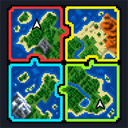 Unified Xaero Worldmap
Navrelis' shared map: every explored tile of Xaero's World Map is merged on the server and sent to all players.
 Player Difficulty
Per-player difficulty scaling from active play time, kills and gear. It runs on the server and is optional on clients.
Open your world with e4mc#
e4mc lets the host of a singleplayer world open it to LAN and posts a public address that friends can use. You do not have to forward a port. The pack's config uses the e4mc broker, has the whitelist option off and turns on the peer-to-peer connection (Dialtone) for both host and player.
The pack also sets restoreDedicatedCommands = true. Commands that normally exist only on a dedicated server, such as /ban and /whitelist, therefore work in your LAN world.
e4mc has four client commands:
| Command | Use |
|---|---|
/e4mc stop | Stop sharing the world |
/e4mc restart | Start sharing again |
/e4mc doctor | Check the connection when friends cannot join |
/e4mc conninfo | Show the connection information |
Join or run a server#
Every server needs the ports 25565 (TCP, the game) and 24454 (UDP, voice chat). The pack's server template sets PvP on, difficulty normal and a limit of 10 players, with online mode on and a view and simulation distance of 10. These are the template's values for a server you build yourself, not settings of the client pack.
Server Browser adds a server list to the multiplayer screen. The pack lists no official server in it. The title screen has a "Need a server?" button for BisectHosting. Setup, the server pack and the ranks are on Running a Server.
Teams and shared quests#
Everyone starts in a personal team. You make a party with /ftbteams party create <name> or with the team screen. FTB Teams (Fabric) puts no limit on the party size and no limit on lives, and nobody is kicked after a death.
Quest progress belongs to the team. All QuestBridge requirements count for the team as a whole, so the journal tasks that watch what you do count for the party too. Rewards are different: every player claims their own. Quest items are never consumed, so one player's finished task does not use up anything the others need.
Party commands that every player can use:
/ftbteams party create <name>,join,declineandleave/ftbteams party invite <players>andkick <players>/ftbteams party transfer_ownership <player>/ftbteams party allies add|remove <player>andallies list
The party screen is on P, which is shared with Social Interactions and the Open Parties and Claims menu. Hold the key to open the Polybind wheel and pick one. See Controls.
Claims and parties#
There is no FTB Chunks in Nytheria. Land is protected by Open Parties and Claims: Team Claims, which is Open Parties and Claims (OPAC) plus a Team Claims layer written for the pack. OPAC and FTB Teams are linked: with ftbTeamsSync = true the two mirror their parties in both directions. A party gets its own team claim budget, separate from every member's private claims.
| Limit | Value |
|---|---|
| Private claims per player | 500 chunks |
| Private forceloaded chunks | 10 |
| Team claims (2 members) | 500 chunks, plus 25 per further member |
| Team forceloads (2 members) | 10, plus 2 per further member |
| Smallest team with team claims | 2 members |
All details, roles and commands are on Claims & Parties. Claims show on both Xaero maps.
Voice chat#
Simple Voice Chat gives proximity voice. The server config sets a range of 48 blocks and a whisper range of 24 blocks. Groups are on, recording is allowed, and players without the mod are not kicked. Voice uses UDP port 24454, which is separate from the game port. Open it on your firewall or host panel.
Every player can use the group commands /voicechat invite <player>, join <group> and leave. The pack's client file turns on push-to-talk activation, starts you muted and runs a local voice server, so voice is set up for singleplayer and LAN worlds too.
The pack puts all voice actions on one key, /, in a Polybind wheel. Push to talk is not among the pack's default keys, so give it a key of its own in the controls screen. See Controls.
Loot, PvP and death#
Lootr Remastered gives every player a separate inventory in chests, barrels, shulker boxes and other containers. A party does not share one (team_loot = false). Containers can be broken while sneaking, which stops other players from getting their loot. Read Per-Player Loot before you break one.
PvP is allowed. The server template turns it on, and Open Parties and Claims allows player-versus-player combat inside claims by default. Player Difficulty adds no death penalty after a death caused by another player, their pet or TNT.
When you die, You're in Grave Danger puts your items and XP into a grave. Other players can rob it after 24 hours. Read Death, Graves & Respawning for the rest.
Player Difficulty works per player. Your multiplier depends on your own play, so a new friend does not inherit yours. /scaling shows your breakdown and /scaling top shows the leaderboard of the highest multipliers. See Difficulty & Player Scaling.
Sharing places and the map#
Each player activates Waystones for themselves. Sharestones of one colour connect to each other and anyone can use them. Portstones only send you away. See Waystones.
Unified Xaero Worldmap shares Xaero's World Map between all players on a server, with live sync and a catch-up when you join. Party members appear on the map while location sharing is on, which is the default.
Chat and privacy#
No Chat Reports is installed, with the default signing mode set to never. WATUT shows small typing and idle indicators over players within 10 blocks. Chat Heads shows a head next to each message. On a dedicated server, chat reads [Rank] Name: message.
Setting up a group#
A simple order that avoids the usual trouble:
- Agree on how you play: a world opened with e4mc, or a server. Everyone installs the same pack and mod versions.
- Create a party with
/ftbteams party create <name>and invite the others. Because OPAC mirrors FTB Teams, the same party shows up in the claim menu. - Pick a base location and claim it. A party of two or more members can use team claims, which do not use up anyone's private 500 chunks.
- Give voice chat a push-to-talk key and test it with someone near you.
- Agree who may break Lootr containers, and tell newcomers that sneaking breaks them.
In the quest book#
The quest book itself needs no multiplayer setup. Progress is per team, rewards are per player, and no quest consumes your items. The release lock described on Running a Server keeps the book's editing commands off for everyone.
Changed from the old wiki#
Earlier versions of this wiki said that claims use FTB Chunks. In the current pack, claims are Open Parties and Claims with the Team Claims layer. They also said that OPAC parties are separate from FTB Teams and share one claim budget. In the current pack, the two are synced and a team has its own pool. Earlier versions put push-to-talk on the voice wheel. In the current pack it needs its own key.
Pages in this topic#
- Claims & Parties - limits, team pool, commands and what a claim protects
- Running a Server - ports, ranks, the release lock and the server pack
- Made for Nytheria - the mods Navrelis built for the pack, including Team Claims
See also#
- Controls - the shared keys for voice chat and parties
- Commands - every command a normal player can use
- Per-Player Loot - how Lootr containers behave
- Maps & Navigation - the shared map and claim display
- Death, Graves & Respawning - graves and PvP deaths
- Troubleshooting - connection and voice problems