
Gameplay
Storage Networks (Obscura's Simple Storage)
Build a storage network with Obscura's Simple Storage: connectors, cables, terminals, filters, wireless range 32 and 128 blocks, beacons, Tidy and Frame Labels, with every recipe and pack setting.
Obscura's Simple Storage joins your existing chests, barrels and other inventories into one searchable list. This page is a child of Storage & Logistics and covers how a network works, the numbers the pack uses, the recipes, and how to build your first network. It is for anyone who has more than a few chests.
How it works#
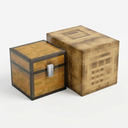 Obscura's Simple Storage is the pack author's fork of Tom's Simple Storage (mod id
 obscuras_storage, version 5.1.1). It needs the same jar on server and client. There is no power, no channels and no autocrafting.
Connecting inventories#
Place an Inventory Connector. Every inventory that touches it, or touches an inventory that is already connected, joins the network. The connector searches a radius of 16 blocks. Inventory Trim bridges gaps between chests. To reach other rooms, use Inventory Cables with Inventory Cable Connectors (up to 2,048 cables). A network still needs one Inventory Connector.
Framed cables, connectors, proxies and trims can be painted with a Paint Kit (100 uses): sneak and right-click a full block to copy its look. A water bucket cleans painted blocks.
Blocks that shape a network#
| Block | What it does |
|---|---|
| Inventory Interface | lets hoppers and pipes insert into and extract from the whole network |
| Inventory Proxy | extends the face of the block it points at |
| Open Crate | turns the space in front of it into an inventory of dropped items (27 virtual slots) |
| Filing Cabinet | 512 single-item slots for unstackable items; refuses shulker boxes, bundles and containers |
| Shulker Dock | holds one vanilla shulker box; the network, hoppers and comparators see its 27 slots |
| Basic Inventory Hopper | Normal, Pulse or Keep Stock mode (for example, keep 16 coal in a furnace) |
| Level Emitter | redstone signal when the stored amount is above or below a number; analog mode 0 to 15 |
The Shulker Dock accepts the 17 vanilla shulker boxes, not Sophisticated shulker boxes. Comparator output works for the Inventory Connector, Inventory Interface, Filing Cabinet, Open Crate and Shulker Dock.
Terminals#
The Storage Terminal shows all items in a searchable list. You can sort by amount, name, mod, rarity, registry id, durability or item group. The Crafting Terminal adds a 3x3 grid and recipe book and takes missing ingredients from the network. It supports EMI recipe transfer and the  Polymorph recipe choice.
Search accepts plain text (name or tooltip), a space for AND, | for OR, @modid for a mod, #tag for a tag and $text for component text. An example is @minecraft #logs | @create.
| Terminal click | Result |
|---|---|
| Left-click | take a stack |
| Shift-click | move to inventory |
| Right-click | take half |
| Ctrl + right-click | take a quarter |
| Click in the list | deposit the carried stack |
| Hold Space and click outside the list | deposit your whole main inventory (the hotbar stays) |
| Alt + click | Item Locator: marks where the item is (cyan, nearest 64 inventories, 10 s) |
| Right-click the search bar | clear it |
| Middle-click a block you do not carry | pick block from storage (needs a bound wireless terminal in your inventory) |
Filters#
An Item Filter is an allow or deny list. A Tag Item Filter, a Polymorphic Item Filter (only what is already inside) and a Condition Filter (damaged, enchanted, renamed, stackable, food, fuel, smeltable, block, has contents; each Ignore, Required or Excluded) are made from it. An Inventory Cable Connector applies its own filter and that of its target. The Inventory Configurator sets a filter slot, priority, side, Skip and Keep last item on an inventory. Right-click a connector with it to list the connected blocks.
Ejector, Disposal and Exporter#
Version 5.1.0 added three filter blocks. Each has a 3x3 ghost filter, plugs into a cable, connector, interface or single inventory at its back, and uses the front as output. They work once per 8 ticks.
| Block | What it does | Redstone |
|---|---|---|
| Ejector | drops matching items from the network in front of it, like a dropper; Continuous or Pulse mode; 1 item or 1 stack | needed |
| Disposal | destroys matching items for good, up to one stack per operation; starts paused | stops a running one |
| Exporter | moves matching items into the inventory in front of it; nothing is lost if the target is full; 1 stack by default | stops it |
Tidy and Frame Labels#
The Tidy button merges partial stacks and moves strays to a "home" chest. It picks the home in this order: a chest labelled with a glow item frame for that item, a chest whose Configurator filter accepts it, then the chest holding most of the item. It makes 8 stack moves per tick, runs for up to 30 seconds and then has a 30-second cooldown. Click again to stop. It skips furnaces, brewing stands, hoppers, droppers, dispensers, lecterns and similar blocks, Filing Cabinets, Open Crates and anything set to Skip.
Frame Labels work like this: put a glow item frame (only glow) with an item on a chest. That chest then takes only that item from the network and is filled first. Several frames mean several items. A frame on either half of a double chest works, and a filter item in the frame acts as that filter.
Numbers and settings in Nytheria#
The pack leaves every Obscura setting at its default. They are in config/obscuras_storage.json.
| Setting | Value | What it means for you |
|---|---|---|
| Connector scan range | 16 blocks | how far a connector looks for inventories |
| Maximum cables | 2,048 | cable limit of a network |
| Wireless Terminal range | 32 blocks | same dimension only |
| Advanced Wireless Terminal range | 128 blocks | same dimension only |
| Beacon level for wider range | 1 (same dimension), 3 (any dimension) | beacon within 8 blocks of the bound terminal |
| Inventory Link range | 4,096 blocks | same dimension, no beacon needed |
| Basic Inventory Hopper cooldown | 8 ticks | same speed as a vanilla hopper in Normal mode |
| Ejector, Disposal, Exporter cooldown | 8 ticks | one operation per cooldown |
| Tidy | 8 moves per tick, 30 s run, 30 s cooldown | per network |
| Filing Cabinet | 512 slots | one item per slot |
Wireless terminals#
A Wireless Terminal opens a terminal within 32 blocks in the same dimension. Bind it with sneak + right-click on a terminal. The Advanced Wireless Terminal reaches 128 blocks, is fire resistant, uses a belt slot and opens with B or a right-click. The terminal's chunk must be loaded. A beacon within 8 blocks of the bound terminal extends the Advanced one: level 1 or higher gives anywhere in the same dimension, level 3 or higher gives any dimension. According to the mod's description, only the Advanced terminal is extended.
Inventory Link#
Right-click an Inventory Cable Connector with an empty hand and create or pick a public or private channel. Two ends reach each other within 4,096 blocks in the same dimension. A beacon in front of the connector at both ends of level 1 or higher removes the range limit in the dimension; level 3 or higher works across dimensions. Both ends must be loaded.
Keys#
| Key | Action |
|---|---|
| B | Open Terminal (opens the bound Advanced Wireless Terminal); shares the key with the backpack |
| H | Highlight Connected Inventories: outlines every inventory of the network in green through walls for 10 seconds (the nearest 256) |
In the pack, H and B are shared keys. Several actions sit on one key and the Polybind wheel opens when you hold it. The Highlight button is also below Tidy in every terminal. The Toggle Restock key (keeps the held block stack topped up when it falls below 16) is unbound by default. See Controls.
Recipes#
P = any planks, S = stick.
| Item | Recipe |
|---|---|
| Inventory Connector | 4 planks, 2 chests, comparator, diamond, ender pearl |
| Storage Terminal | 4 planks, 2 comparators, chest, glowstone dust, colourless glass |
| Crafting Terminal | Storage Terminal, 4 diamonds, 4 crafting tables |
| Wireless Terminal | 4 planks, comparator, spyglass, glowstone dust, glass, ender pearl |
| Advanced Wireless Terminal | netherite upgrade template, Wireless Terminal, netherite ingot (smithing) |
| Inventory Cable (makes 6) | 4 sticks, 2 planks, 2 trapdoors, chest |
| Inventory Cable Connector | quartz, 2 planks, Inventory Cable, chest, ender pearl, diamond, plank |
| Inventory Trim (makes 2) | 4 planks, 4 sticks, chest |
| Inventory Interface | 4 planks, 3 trapdoors, chest, ender pearl |
| Basic Inventory Hopper | 2 planks, Inventory Cable, hopper |
| Filing Cabinet | 4 smooth stone, 2 chests, 2 iron ingots |
| Shulker Dock | barrel, Inventory Cable, 2 iron ingots (shapeless) |
| Item Filter | 4 redstone dust, wool, 4 sticks |
| Inventory Configurator | any Inventory Trim, stick |
| Ejector | 2 planks, Inventory Cable, 2 redstone, dropper |
| Exporter | 2 planks, Inventory Cable, 2 redstone, hopper |
| Disposal | 2 planks, Inventory Cable, 2 cactus, cauldron |
Step by step#
- Put your chests close together in one room. Craft an Inventory Connector and place it so that at least one chest touches it. Other chests join if they touch a connected chest, or use Inventory Trim to bridge a gap.
- Craft a Storage Terminal and place it on a connected inventory or next to the connector.
- Open the terminal and use the search bar to find items. Click in the list to deposit what you carry.
- For another room, run Inventory Cables from a connector, end them in an Inventory Cable Connector and continue.
- Press the Tidy button once the network has grown. Put a glow item frame with an item on a chest to give that item a fixed home.
- For a base-wide setup, craft a Wireless Terminal and bind it to a terminal. Upgrade to the Advanced Wireless Terminal when you need 128 blocks, then add a beacon.
Tips#
- Press H to see which inventories are part of the network. It is the quickest way to find a chest that is not connected.
- Sophisticated Storage blocks count as ordinary inventories, so they appear in the terminal. See Storage & Logistics.
- Use an Inventory Interface when you want hoppers, a mob farm or an Absorption Hopper to feed the whole network.
- Check the Disposal filter twice. Items are destroyed, not stored.
- On a server, operators can run
/obscuras_storage doctor top [count]to find the heaviest networks. It needs permission level 2. - Painted trims and cables work with Sodium, which the pack uses.
See also#
- Storage & Logistics - the hub for all storage in the pack
- Backpacks & Portable Storage - backpacks share the B key with the terminal
- Controls - the Polybind wheel and shared keys
- Running a Server - the server needs the same Obscura jar as the client