
Reference
Quality-of-Life Mods
The helper mods of Nytheria that you notice from the first hour: recipe viewer, sorting, tooltips, HUD, menus, automatic tools, sleep and graves, with the pack's own settings for each.
Nytheria adds many small helper mods that change how the game feels without adding content: a recipe viewer, inventory sorting, richer tooltips, a longer health bar and tools that save clicks. This page belongs to the Controls reference and lists what each helper does and how the pack sets it. Keys are on the Controls page; this page names a key only when it matters.
How to read this page#
Each table lists the mod, what it does for you, and the pack's setting where one matters. Versions are the ones in the current pack, so a newer jar may differ. The mods are grouped by what you meet first.
Recipe viewer and crafting helpers#
 EMI is the only recipe viewer in the pack. There is no JEI, REI or Roughly Enough Items. Click an item to see how it is made or what it makes, and use the search box to find any item. Its add-ons show where loot comes from, which ores generate where, enchanting recipes, villager professions and the effect of status effects.
| Mod | What it does | Pack setting |
|---|---|---|
 EMI Loot EMI Loot | Chest, block, mob and fishing loot in EMI | - |
 EMI Ores EMI Ores | Ore generation in EMI | - |
 EMI Enchanting EMI Enchanting | Enchanting recipes in EMI | - |
 EMI professions (EMIP) EMI professions (EMIP) | Villager professions in EMI | - |
 EMIffect (Status Effects EMI Plugin) EMIffect (Status Effects EMI Plugin) | Status effects in EMI | - |
 Advanced Loot Info (ALI) Advanced Loot Info (ALI) | Loot and trade info for the viewer | - |
 Just Enough Effect Descriptions (JEED) Just Enough Effect Descriptions (JEED) | Effect descriptions in EMI | - |
 Distraction Free Recipes (EMI / REI / JEI) Distraction Free Recipes (EMI / REI / JEI) | Hides the viewer panel unless you search | Enabled, help text and toggle button shown |
EMI's own keys are on the Controls page. The pack keeps cheat mode off, builds the item list from the creative tabs and shows the search tooltip by default.
Four more helpers sit at the crafting table.  Polymorph lets you pick the result when several recipes fit the same items.
  Visual Workbench keeps items in the crafting table and draws them, and the pack turns the vanilla workbench off in its favour.
  Not Enough Recipe Book [NERB] removes the vanilla recipe book.
  Client Crafting and
  Universal Sawmill are also present.
Inventory, sorting and storage screens#
| Mod | What it does | Pack setting |
|---|---|---|
 Client Sort Client Sort | Sorts any inventory with the middle mouse button and small buttons | Plain click: creative order; Shift: quantity; Ctrl: alphabet; Alt: raw id; sort sounds off |
 Inventory Essentials Inventory Essentials | Bulk transfer (single, all, armour sets), bulk drop, shift-drag, tool and stack refill | All enabled; sorting by creative order |
 Mouse Tweaks Mouse Tweaks | Mouse and scroll-wheel tweaks for moving items | All five tweaks on |
 Highlighter Highlighter | Marks newly picked-up items in your inventory | Mark clears on hover, select and close; also shown on the hotbar |
 Pick Up Notifier Pick Up Notifier | Shows a pick-up log at the bottom right (items, XP, arrows) | Combines entries except named items |
 Shulker Box Tooltip [Fabric/Forge/NeoForge] Shulker Box Tooltip [Fabric/Forge/NeoForge] | Previews the contents of a shulker box in its tooltip | - |
Middle mouse is shared between picking a block and four sort actions. How that behaves is on the Controls page. Backpack and storage-network screens are covered on Backpacks & Portable Storage and Storage & Logistics.
Tooltips and information#
| Mod | What it does | Pack setting |
|---|---|---|
 Jade 🔍 Jade 🔍 | Look-at box for blocks and entities, with add-ons  Jade Addons and Jade Addons and  Jade Modded Entities Jade Modded Entities | Uses the Mandala's GUI theme; no default key |
 AppleSkin AppleSkin | Food values in tooltips, saturation and food overlays, exhaustion bar, predicted health | Food values always shown |
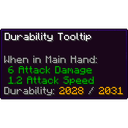 Durability Tooltip Durability Tooltip | Durability numbers in tool tooltips | Numbers style, varying colour, also for modded tools |
 Mining Speed Tooltips Mining Speed Tooltips | Mining speed in tool tooltips | - |
 Enchantment Descriptions Enchantment Descriptions | A short description under every enchantment | - |
 Horse Expert Horse Expert | Speed, jump and health of horses | Tamed horses only |
 Simply Tooltips Simply Tooltips | Draws the tooltips | G cycles the tooltip tab |
 BetterF3 BetterF3 | Replaces the F3 debug screen with a tidier one | - |
 Observable Observable | Lag profiler | No default key |
Almanac is a library mod, not a guide book. The Jade theme lives inside the  Mandala's GUI x Nytheria resource pack, which is why the menus and the Jade box share a look.
HUD, chat and menus#
| Mod | What it does |
|---|---|
 Overflowing Bars Overflowing Bars | Shows health, armour and toughness beyond ten icons as extra rows and moves the chat above the armour bar |
 Status Effect Bars Status Effect Bars | Draws remaining-time bars for status effects |
 Immersive Armor HUD Immersive Armor HUD | Shows armour durability next to the hotbar |
 Better Mount HUD Better Mount HUD | Shows the health of your mount while you ride |
 Chat Heads Chat Heads | Puts player heads next to chat messages |
 ChatAnimation ChatAnimation | Animates the chat |
 WATUT WATUT | Shows typing and idle indicators over players |
 FancyToasts and FancyToasts and  Better Advancements Better Advancements | Advancement toasts and the advancement screen |
Menus and loading screens get their own helpers:
 Controlling adds a search box to Options > Controls > Key Binds.
  Configured and
  Mod Menu open the config screens of other mods;
  Searchables is the library under the search boxes.
 FancyMenu builds the main menu and
  Drippy Loading Screen the loading screen, with
  BetterWorldLoading and
  YUNG's Menu Tweaks.
  Ksyxis makes worlds load faster.
 Delete Worlds To Trash sends a deleted world to the recycle bin.
  Cherished Worlds lets you mark favourite worlds that cannot be deleted by mistake.
 Server Browser lists servers in game, and
  Crash Assistant opens a crash window with a log upload after a crash. See Troubleshooting.
Everyday helpers#
These are the mods that change what a click does. None needs a key unless noted.
| Mod | What it does | Pack setting |
|---|---|---|
 FallingTree FallingTree | Fells the whole tree at once | Up to 150 logs; sneak while chopping breaks one log; no enchantment needed |
 Leaves Be Gone Leaves Be Gone | Speeds up leaf decay | - |
 RightClickHarvest RightClickHarvest | Right-click ripe crops to harvest and replant | Needs a hoe; harvests in a radius; no XP effect |
 Cut Through Cut Through | Your hits reach mobs through grass | Living targets only |
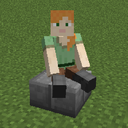 Sit Sit | Sit on slabs and stairs | Reach of 4 blocks |
 Crawl Crawl | Crawl with Right Ctrl | Replaces the vanilla crawl animation |
 Invisible Frames and Invisible Frames and  Fast Item Frames Fast Item Frames | Sneak-click makes an item frame invisible; faster item frames | - |
 Clumps Clumps | Merges XP orbs | - |
 ItemPhysic ItemPhysic | Dropped items lie flat on the ground | Cactus damage to items off; fall sounds on |
 Carry On Carry On | Pick up block entities such as chests, animals and players | Key: Left Shift, shared with sneak |
Also present in this group are  Universal Bone Meal,
  Jump Over Fences,
  Double Doors,
  Magnum Torch and
  Smarter Farmers; the pack does not change their settings in a way this wiki tracks.
Three camera and view helpers work in every dimension.  Better Third Person gives a free camera in third person and aims where you interact.
  BoatView360 removes the 210 degree look limit in boats.
  Just Zoom zooms while you hold C; the mouse side buttons 9 and 10 and the scroll wheel zoom in and out, and your arms and the HUD are hidden while you zoom. A spyglass uses the same zoom.
Sleep, death and respawn#
- Early Bedtime lets you sleep from tick 11,500 instead of vanilla's later threshold.
 Early Bedtime is set to 11,500 ticks in the pack, and according to the mod's description it exists for shader packs that get dark quickly.
 - You're in Grave Danger creates a grave block where you die.
 You're in Grave Danger stores your items and XP, tells you where the grave is, and gives them back when you click it. No item or shovel is needed. The grave glows within 15 blocks, and other players can rob it after 24 hours. Graves have no timeout and can form in the void.
 - On respawn the pack sets the Grave Compass to be handed to you, and your hunger and saturation are reset. Soulbound items stay with you. Death scrolls, death sight and grave keys are switched off. Whether the compass is really handed out has not been tested.
- Charm of Undying lets the Totem of Undying work as an accessory:
 Charm of Undying (Fabric/Forge/Quilt) renders the totem on you while it is equipped.
The full rules, including beds and respawn anchors per dimension, are on Death, Graves & Respawning.
Which helper solves which annoyance#
| You want to... | Use | Where |
|---|---|---|
| Find a recipe or what an item is used for | EMI, with its add-ons for loot, ores and effects | Recipe viewer |
| Sort a chest or your inventory | Middle mouse button, via ClientSort | Inventory |
| See food values and durability | AppleSkin and Durability Tooltip | Tooltips |
| Chop a whole tree | FallingTree; sneak to break one log | Everyday helpers |
| Harvest crops quickly | Right Click Harvest with a hoe | Everyday helpers |
| Get your things back after dying | A grave, collected by clicking it | Sleep, death and respawn |
| Zoom in | Hold C | Everyday helpers |
| Search the key bindings | Controlling's search box | HUD, chat and menus |
Notes#
- The versions in this page are the ones in the current pack. Mod authors change settings between versions, so the wiki follows the pack as of its facts date.
- Inventory Essentials, ClientSort and Mouse Tweaks react to the same middle-click and scroll inputs. How they combine in play has not been tested, and neither has ClientSort with the Obscura terminals.
- Obscura is a storage mod; see Storage Networks.
See also#
- Controls - every key, the H ability key and the Polybind wheels
- Atmosphere & Visuals - the look of the world: sky, weather, sound and light
- Performance & Shaders - speed mods, video settings and shader packs
- Death, Graves & Respawning - graves, beds and respawn anchors
- Mining & Everyday Tools - FallingTree and Ultimine in detail
- Troubleshooting - when a helper does not behave