Technical
Troubleshooting
Fixes for the problems players meet in Nytheria: slow first start, memory and crashes, keys that open a wheel, the L journal, locked quests, shaders and voice chat or connection trouble on servers.
Most trouble in a pack with over 400 mods comes from memory, from a key that several mods share, or from a client and a server that do not match. This page answers the questions players ask most, grouped by where the problem shows up. Each answer links the page that holds the detail.
Startup and memory#
Why is the first start so slow?#
The first start takes longer than later ones.  Sporran remaps the four NeoForge jars once, which adds roughly 30 to 40 seconds the first time, and the game loads several hundred mods. Wait for the loading screen to finish. How long it takes on your PC depends on the hardware and has not been measured for the wiki.
How much memory does the game need?#
Give it 10 GB (10,240 MB). Below 8 GB (8,192 MB) the pack is not supported. The CurseForge app does not read the pack's memory file, so you set the slider in the profile options yourself. Steps are on Installation.
The game warns me about memory. What does it mean?#
 Memory Settings warns when the game has less than 4,096 MB or more than 12,288 MB, and when your value is more than 30 percent away from its own table. TickMender shows a title-screen hint with the recommended Java arguments, and says that the pack "runs best with 10 GB" when the game has less than 10,000 MB and the PC has at least 16,000 MB. Raise the slider, or use the Done or "Do not show again" buttons once you have set it. See Performance & Shaders.
Which Java version do I need?#
Java 21. The CurseForge app installs it for you. The pack runs on Minecraft 1.21.1 with Fabric Loader 0.19.5.
Will an update erase my settings?#
No setting you changed yourself is overwritten. The pack's defaults reach only settings you never touched, and Polybind writes a one-time backup of your old options as options.txt.polybind-backup. Back up your worlds before you update anyway: open the instance folder and copy the saves folder.
The menus and the Jade box look like plain Minecraft. What is wrong?#
The look of the menus, the mod screens and the Jade box comes from the resource pack Mandala's GUI x Nytheria. Open Options > Resource Packs and check that it is in the list of selected packs. If it is only in the available list, move it across.
Crashes and freezes#
The game crashes or freezes after some time. What should I check?#
Memory comes first. Compare your slider with the 10 GB recommendation. With only 8 GB, a long flight can still cause one or two full garbage collections of 1.2 to 1.9 seconds, which feel like a freeze, whatever Java arguments you use. The optional tuned arguments on the Installation page help with pauses.
If the problem stays, lower the render distance and turn shaders off with K. The steps are on Performance & Shaders.
A crash window with a log upload opened. What now?#
That is  Crash Assistant, which shows a crash window with a log upload after a crash. Upload the log and share the link with the Nytheria community. Its own "help" link points to a different community that does not belong to Nytheria, so use the Nytheria Discord instead.
Can I switch off one of TickMender's fixes?#
TickMender has 40 switches in config/tickmender.json, and 39 are on in the pack. Only irisSameDimensionReload is off. If you suspect one of them, report which one you changed before you ask for help, because the fixes touch other mods such as Puzzles Lib, the Aether and Better Caves.
The screen shakes too much in a boss fight.#
TickMender limits camera shake to strength 0.5 and 6 degrees per frame, and  Camera Overhaul has a screen-shake maximum of 2.5. L_Ender's Cataclysm and Astral Dimension run through Sporran, and Sporran 1.0.5 fixed a screen shake that was 57 times too strong for NeoForge mods. Mod settings screens open through
  Mod Menu.
Keys#
Why does a key open a wheel instead of doing one thing?#
Several mods use the same key, and  Polybind lets you choose. Hold the key, move the mouse to the action and let go. A quick tap repeats your last pick. The shared keys are listed on Controls. Type
 /polybind conflicts to see the keys that carry more than one action.
Which key do I press for my boss gear or artifact?#
H. Artifacts, L_Ender's Cataclysm, the Twilight Forest and the dragon fire breath share it. If your Cataclysm abilities answer to V, C or Y instead, search for "Cataclysm" in Options > Controls > Key Binds and bind them to H yourself.
Why does the slash key not open the chat?#
The pack unbinds the chat-with-command action and Advancements so that / and L are free. Press T and type the slash yourself. See Commands.
Ultimine does nothing, or I have no World 2 key.#
The pack binds FTB Ultimine to the key the game calls "World 2", an extra key on ISO keyboards that American keyboards do not have. Search for "Ultimine" in Key Binds and bind another key. See Controls.
Two things happen when I press Space, Shift or Ctrl.#
Jump, sneak and sprint are hold actions, and the pack keeps their keys in "all fire" mode. So Space also fires the Aether's Gravitite jump and Astral Dimension's Magma Wings, Left Shift also fires Carry On, and Left Ctrl also boosts the Soul Elytra. Rebind the extra action if it gets in your way.
I cannot hold push to talk.#
A wheel pick is a single press, so it cannot be held. Voice chat has many actions that share the / wheel, but which of them sit on it is not settled in the wiki's sources. If you want a push-to-talk key you can hold, bind a key of your own in Key Binds, and give it a key that no other action uses.
The middle mouse button opens a small wheel or sorts and picks at once.#
Pick Block and four sort actions share the middle mouse button. In the world it is a wheel, and inside an inventory screen every action fires. That follows from the Polybind rules and has not been tested in play. If it bothers you, set the key to another mode on the Polybind screen.
Quests and the journal#
The L key does nothing, or the journal tab is missing.#
The journal screen only does something when the server has synced a story for you and a resource pack holds the journal file. Otherwise the key does nothing and the inventory tab is not added.  QuestBridge must be installed on every client, and on a server on both sides. See The Journal.
L opens a small wheel with "Open Quests".#
The pack also ships the quest mod's own "Open Quests" action on L. QuestBridge unbinds it once at a later game start. Until then, L can carry both the journal and "Open Quests". Pick the journal on the wheel, or restart the game once.
How do I open the quest book itself?#
Through the journal. The journal opens the quest book at the right chapter. See The Quest Book.
A quest is locked or will not complete.#
Chapters open through gate quests. The book works in flexible mode, so early work counts, but a quest cannot be completed out of order. Only the chapter One Leaf has no gate. Check Chapter Gates & Book Order for the quest that opens your chapter.
My items were not taken when I finished an item task.#
That is intended. Item tasks do not use up your items, and rewards are claimed by each player. Progress is kept per team, so team members share it.
Can an operator edit the quest book?#
No. Nytheria blocks the FTB Quests editing commands for everyone, operators included. See Commands.
Shaders and visuals#
Shaders are on, but the world looks normal. Or I cannot find them.#
Press K to toggle shaders, or open the shader screen with O and select a pack. The pack ships three shader packs:  BSL Shaders,
  Complementary Shaders - Unbound and
  Derivative Shaders, plus the Complementary Unbound with Euphoria Patches preset. Eclipse, Nostalgia and Photon are no longer in the pack. See Performance & Shaders.
The sky looks different with shaders, or torches light too strongly.#
 Stellar View Remastered hands the sky to the shader while one is active and takes it back when shaders go off. Dynamic Lighting adds ordinary block light, so a shader pack with its own hand-held light can count a torch twice.
The game is full screen and I want a window.#
Press F11. The pack starts in full screen.
Servers and multiplayer#
I cannot join a server or the game says the mods do not match.#
The client and the server need the same mod versions. QuestBridge and Sporran must be on both sides. The server pack may be older than the current pack, so check the download page for the version before you use it. See Running a Server.
Voice chat does not work on a server.#
Voice chat uses its own port, 24454 on UDP, besides the game port 25565 on TCP, and both must be open. Players without the voice chat mod are not kicked. The range is 48 blocks and whispering reaches 24 blocks. See Multiplayer.
How can I show my world to friends without port forwarding?#
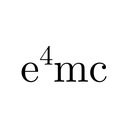 e4mc opens a singleplayer world to friends without port forwarding. If it does not connect, run
 /e4mc doctor. Whether voice chat works through it was not checked.
A command says I lack permission.#
Many commands that look like player commands need operator rights: /hat, /heal, /fly, /open and others. See Commands. On a server, ranks decide the rest.
I died and my items are gone.#
They are in a grave. Use /yigd latest to see where your latest grave is, and /back to teleport to your death position. Right-click the grave to collect items and XP. Other players can rob it after 24 hours. See Death, Graves & Respawning.
Still stuck?#
Ask on the Nytheria Discord. Say what you did, which key or screen is involved, and attach the log from the crash window if there was one. The FAQ answers the common questions about the pack itself, and Performance & Shaders covers slow games.
See also#
- Installation - memory, Java arguments and updates
- Performance & Shaders - speed, video settings and shaders
- Controls - every key and the Polybind wheels
- Commands - player and operator commands
- The Journal - the screen behind the L key
- Running a Server - server pack, ports and ranks