
Mod
Nature's Compass
A compass that searches for any biome, including modded ones, and shows its coordinates and distance.
What it adds#
Nature's Compass adds a compass that finds biomes. It works with all biomes in the pack, including the biomes from  Terralith and
  Oh The Biomes We've Gone. When it finds a biome, it points toward it and shows the biome's name, coordinates and distance on your screen.
Getting started#
- Craft the compass: a vanilla compass in the middle, logs on the four sides and saplings in the four corners.
- Right-click to open the biome list. You can sort the list and look at information about each biome.
- Select a biome and press Search.
- When the biome is found, follow the compass or the coordinates.
Use Search for Next to look for another place with the same biome.
Tips#
- Searching is free in Nytheria; it costs no experience levels.
- The compass can be repaired by crafting it together with a vanilla compass.
- In creative mode, or with cheats, the compass screen can teleport you to the found biome.
- If a biome is far away or rare, the search can take a moment.
Description from the mod
Search for a biome and get information about it.
Mentioned in
More from Exploration & Navigation
 Waystones
Adds waystones and other teleport blocks and items: activate waystones as you explore, then travel between them for experience.
 Xaero's Minimap
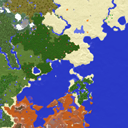
Adds a minimap with nearby terrain, players, mobs and items, plus waypoints and a death waypoint.
 Xaero's World Map
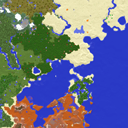
Adds a full-screen world map that fills in as you explore and works with Xaero's Minimap waypoints and claims.