Mod
Accessories
The shared accessory-slot system of the pack: extra equipment slots for rings, necklaces, belts, charms and more, with its own screen and cosmetic slots.
What it adds#
Accessories adds extra equipment slots beyond armor and the offhand. Items that go into these slots come from other mods, for example  Artifacts Remastered,
 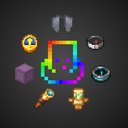 Accessorify and
  The Aether. Nytheria also has mods built for the older Trinkets system, such as
  Elytra Slot and
  Charm of Undying (Fabric/Forge/Quilt).
 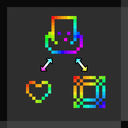 Accessories Compatibility Layer moves their slots into the same Accessories screen, so you manage everything in one place.
Getting started#
- Open your inventory and click the Accessories button next to the player model, or bind the Open Accessories Screen key in the controls.
- Drag an accessory into a matching slot. In Nytheria you can also equip an accessory by right-clicking it while not crouching.
- Only slots that are in use are shown, so new slot types appear as you find items for them.
- Each slot also has a cosmetic slot. An item there changes how you look without giving its effect.
Tips#
- If an item's tooltip mentions a slot (ring, belt, charm, back and so on), it belongs in this screen, not in your armor slots.
- The Aether also has its own accessory menu for its gloves, pendants and capes, see The Aether.
- The screen has group tabs and can show the crafting grid on the side, so you can equip gear without leaving your inventory.
Description from the mod
A extendable and data-driven Accessory Mod for Minecraft
Mentioned in
More from Armor, Gear & Accessories
 Advanced Netherite (Fabric)
Adds four upgrade tiers above netherite (iron-, gold-, emerald- and diamond-infused) with extra drops and passive-mob perks.
Charm of Undying (Fabric/Forge/Quilt)Adds a charm slot for the Totem of Undying, so the totem protects you without taking up your offhand.
 DragonLoot
The Ender Dragon drops Dragon Scales, used to upgrade netherite gear into dragon armor, tools and weapons.
 Immersive Armors
Adds ten armor sets made from vanilla materials, each with its own set effects.
AccessorifyMakes select vanilla items wearable as accessories through the Accessories system.
 Armor Damage Limit
Caps how much durability an armor piece can lose from a single hit, smoothing out unlucky durability spikes.